How to check whether a TRC-20 transfer burned TRX or used Energy
Discover whether your TRC-20 USDT transfer used Energy or burned liquid TRX. TronScan fee guide, resource breakdown, and cost-saving fixes.

Table of Contents
Watching TRX vanish from your balance right after sending a TRC-20 USDT transfer is deeply annoying, particularly when you expected staked or rented Energy to cover the network fee. Wallet apps rarely show a clear breakdown of transaction costs. Because of this, many users assume their Energy covered the transfer, unaware that liquid TRX was burned behind the scenes instead.
Determining how your transfer was actually billed takes less than 30 seconds. By checking your transaction directly on TronScan, you can instantly see whether it consumed native Energy, used rented resources, or burned TRX.
How to check if a TRC-20 transfer burned TRX or used Energy
To verify whether your TRC-20 transfer used available resources or burned TRX, search the transaction hash (TxID) on Tronscan and check the Resources Consumed & Fee section. Tronscan breaks resource usage down into Bandwidth and Energy, allowing you to see whether each resource was covered by available resources or paid for by burning TRX.
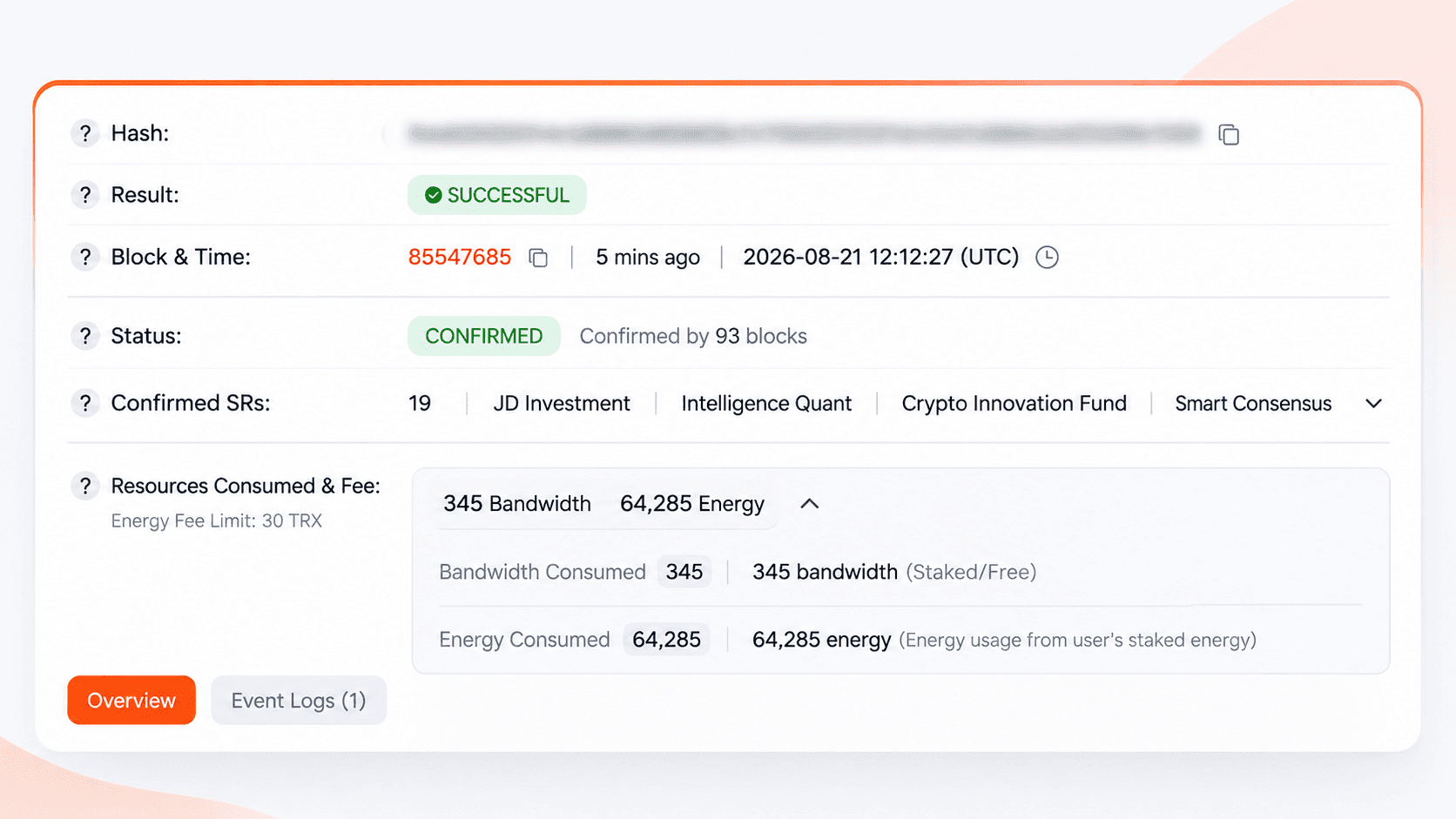
If the required Energy was fully covered by staked or delegated Energy, no TRX was burned for Energy. However, the transaction may still show a non-zero Fee if TRX was burned to cover insufficient Bandwidth. Bandwidth may be covered by staked resources or the account’s free Bandwidth allowance. If either resource is insufficient, TRX can be burned to cover the shortfall. A transaction can therefore use available Energy or Bandwidth and still incur a TRX fee for the remaining resource cost.
An OUT_OF_ENERGY status means the smart contract ran out of available Energy during execution. This can happen because the transaction’s fee_limit was too low or because the account did not have enough Energy and TRX available to cover execution. Resources consumed during the failed execution are not refunded.
Type | On-chain criteria | Billing result |
|---|---|---|
Energy | Energy consumed, no Energy fee / TRX burn | Energy fully covered by available staked or delegated Energy |
Burn | Energy fee / TRX burn > 0, no available Energy used | TRX burned to cover the Energy cost |
Partial | Available Energy used + Energy fee / TRX burn > 0 | Energy partially covered by available resources; TRX burned for the shortfall |
Failed |
| Contract execution failed; resources consumed during execution are not refunded |
What actually pays for a TRC-20 transfer
Executing a TRC-20 USDT transfer on TRON requires network resources rather than simple flat fees. Understanding how TronScan registers these transactions requires distinguishing between byte payload bandwidth and smart contract execution.
Energy vs Bandwidth: two separate charges
TRON splits network consumption into Bandwidth and Energy. Bandwidth measures raw transaction data size in bytes (a standard TRC-20 transfer consumes roughly 345 Bandwidth). Every active address receives 600 free daily Bandwidth points. Energy measures the computational power required by the TRON Virtual Machine (TVM) to process smart contract code (requiring ~65,000 to ~131,000 Energy per transfer).
These charges are completely independent. Having millions in Energy will not cover missing Bandwidth, and free daily Bandwidth cannot execute contract logic. If either resource falls short, TRON automatically burns liquid TRX from your balance to cover the deficit.
The four sources that can cover Energy
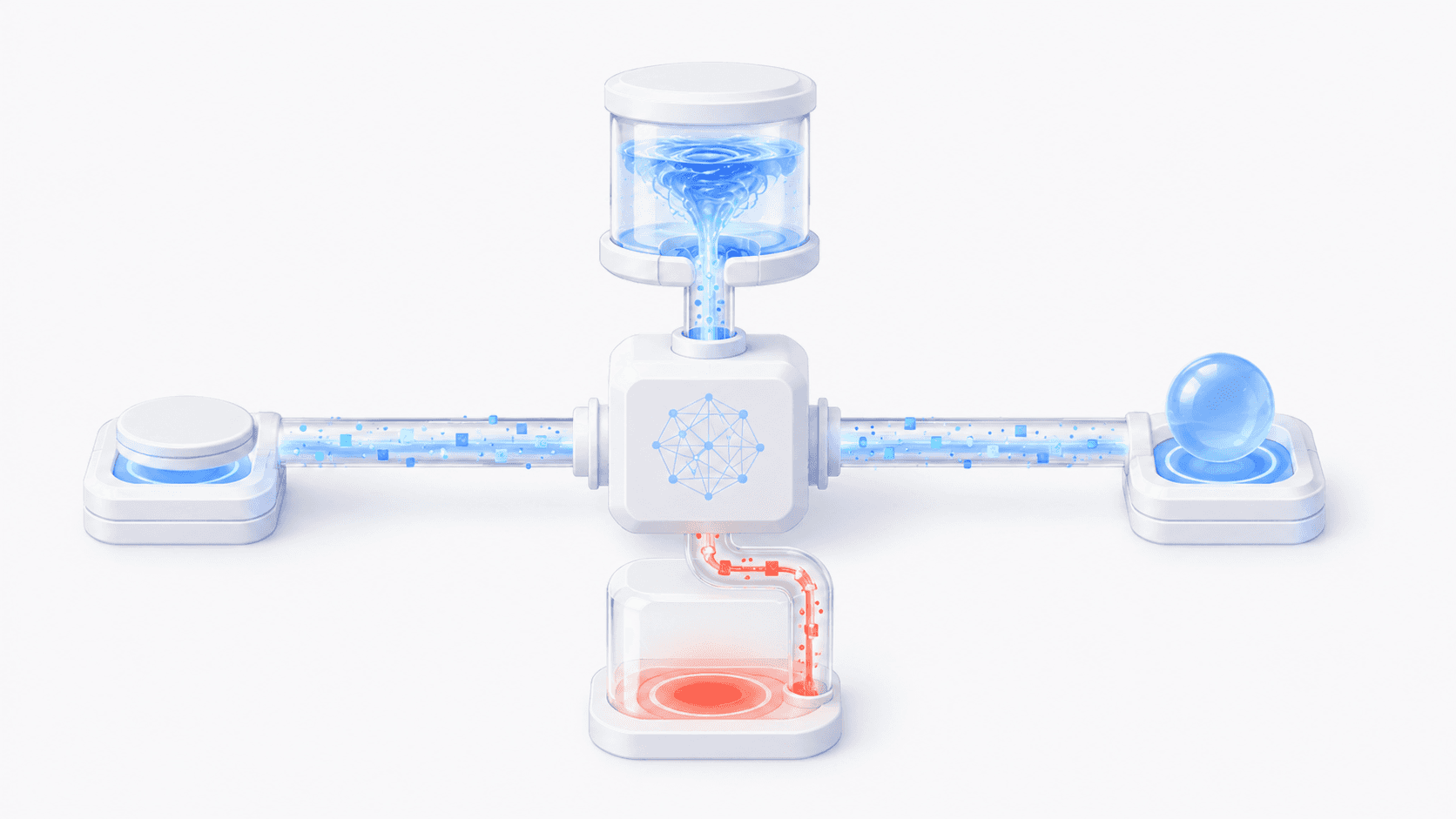
Energy used during execution originates from four distinct sources, each reflected differently on TronScan:
Self-staked Energy
TRX locked directly in your account via Stake 2.0.Delegated/rented Energy
Energy assigned to your wallet by external providers or staking pools.Liquid TRX burning
Direct destruction of TRX from your wallet balance when available Energy is zero.Contract owner coverage (origin_energy_usage)
Rare situations where the smart contract creator sponsors execution costs.
What "burning TRX" means in numbers
When your account lacks sufficient Energy, TRON calculates the TRX burn cost using the dynamic network parameter getEnergyFee:
For a standard TRC-20 transfer requiring 65,000 Energy, the calculation is:
TRX Burned = (65000 * 100) / 1000000 = 6.5 TRX
If the recipient wallet has never held USDT before, the transfer requires additional contract storage execution (~131,000 Energy):
TRX Burned = (131000 * 100) / 1000000 = 13.1 TRX
As of August 2025, the TRON network parameter getEnergyFee is set to 100 SUN per unit (where 1 TRX = 1,000,000 SUN, meaning 1 Energy costs 0.0001 TRX).
Method 1: read the rransaction on Tronscan
Reading your transaction receipt directly on Tronscan provides absolute clarity on where every fraction of a TRX went. Wallet apps regularly aggregate data into generic fee summaries, but TronScan exposes the raw execution log of the TRON Virtual Machine.
Step-by-step: from TxID to verdict
Copy your TxID: Locate the transaction hash in your wallet history or withdrawal confirmation. It is a 64-character hexadecimal string.
Search on Tronscan: Visit tronscan.org, paste the TxID into the search bar, and press Enter.
Inspect the Fee field: Look at the main Fee entry near the top of the summary card. If it reads 0 TRX, no liquid TRX was burned from your balance.
Expand Resources Consumed: Scroll to the Resources Consumed section and click the arrow to view the line-item breakdown.
Verify Bandwidth separately: Confirm whether Bandwidth was deducted from your 600 free daily allocation or billed via burned TRX (typically 0.345 TRX if daily allowance is exhausted).
Check the Result status: Verify that the header displays SUCCESS. If you see OUT_OF_ENERGY or REVERT, contract execution failed mid-way.
How each settlement scenario appears on TronScan:
100% Energy Covered (Fee = 0 TRX): TronScan shows 65,000 Energy consumed with a Fee of 0 TRX. Active staked or rented Energy covered the transfer completely, protecting liquid TRX.
100% Liquid TRX Burned: TronScan displays 65,000 Energy consumed alongside a 6.5 TRX fee. Zero Energy was available in the wallet, forcing TRON to burn liquid TRX directly.
Partial Coverage (Mixed Settlement): The wallet held 30,000 Energy. Execution consumed all available Energy first and burned 3.5 TRX to cover the remaining 35,000 Energy deficit.
Why "Energy Consumed" is not "Energy Burned"
Every TRC-20 transfer requires computational effort from network nodes. When Tronscan displays Energy Consumed: 65,000, it strictly measures the work performed by the TRON Virtual Machine to execute the smart contract code.
To determine whether liquid funds were spent, ignore total consumption and focus exclusively on the Fee line and the Burned TRX counter within the resource breakdown.
Method 2: how mobile wallets display TRC-20 Energy and burned TRX
Popular mobile wallets like TronLink, Trust Wallet, and TokenPocket handle network resource display differently.
TronLink features a dedicated menu showing staked and delegated Energy allocations.
Trust Wallet and TokenPocket often compress transaction details into a single basic network fee metric.
"Fee: 0 TRX" in your wallet only confirms zero liquid TRX was burned. It conceals whether self-staked, rented, or sponsored Energy was used, while hiding partial coverage. Use wallets for quick checks, but rely on TronScan for precise resource auditing and rented Energy verification.
Method 3: how to verify TRC-20 Energy and TRX burn via TronGrid API
Manual Tronscan checks fail to scale for payment gateways, bulk payouts, or automated transaction audits. You can programmatically audit any TRC-20 transfer using the official TronGrid API endpoint: wallet/gettransactioninfobyid.
Send an HTTP POST request to https://api.trongrid.io/wallet/gettransactioninfobyid with your 64-character transaction hash in the payload:
{"value": "YOUR_TRANSACTION_HASH"}
The returned JSON contains the raw TVM execution receipt. Divide the top-level fee field by 1,000,000 to convert SUN into liquid TRX, then inspect the nested receipt object to separate active Energy consumption from burned TRX.
Decoding TRON API receipt fields: key parameters for Energy and TRX burn
The nested receipt object returned by the TronGrid API provides exact TVM execution metrics. Use this reference to interpret raw API fields and audit whether a transaction consumed Energy or burned TRX:
Field Name | Unit | On-Chain Interpretation |
|---|---|---|
energy_usage | Energy | Energy consumed from self-staked or delegated account allocations. |
energy_fee | SUN | TRX burned to pay for missing Energy (1 TRX = 1,000,000 SUN). |
origin_energy_usage | Energy | Energy sponsored directly by the smart contract creator. |
energy_usage_total | Energy | Total Energy consumed by contract execution across all sources. |
net_usage | Bandwidth | Bandwidth points deducted from daily or staked account allowance. |
net_fee | SUN | Amount of TRX burned to cover Bandwidth deficits. |
fee | SUN | Total liquid TRX burned from wallet balance (energy_fee + net_fee). |
result | String | Final execution outcome (SUCCESS, OUT_OF_ENERGY, or REVERT). |
TRC-20 fee matrix: decoding your Tronscan Energy and TRX Burn numbers
On-Chain Parameter Mix | On-Chain Verdict | Action Required |
|---|---|---|
energy_fee = 0, energy_usage > 0, net_fee = 0 | 100% Energy Covered | None. Staked or rented Energy covered the transfer. |
energy_fee > 0, energy_usage = 0, net_fee = 0 | Full TRX Burn | Rent or stake Energy before making your next send. |
energy_fee > 0, energy_usage > 0, net_fee = 0 | Partial Coverage | Increase your Energy allocation (e.g., from 65k to 131k). |
energy_fee = 0, energy_usage > 0, net_fee > 0 | Bandwidth Deficit | Hold 345 Bandwidth or wait for the daily free reset. |
energy_fee > 0, account_create_fee > 0 | Account Activation | Standard 1 TRX new address creation fee applied. |
Is Fee = 0? Yes: Covered by Energy. No: Check energy_fee.
Are both energy_usage > 0 and energy_fee > 0? Yes: Energy ran out mid-execution; top up Energy next time.
Is net_fee > 0? Yes: Your free daily Bandwidth limit was exceeded.
Common TRC-20 edge cases: why TRX burns unexpectedly
Even when you follow standard resource management steps, TRON network execution does not always behave predictably. Smart contract state requirements, dynamic algorithm adjustments, and transaction broadcast timing frequently create edge cases where liquid TRX gets burned without your knowledge. Grasping these protocol nuances prevents unexpected fee overcharges and non-refundable failed transfers.
You rented Energy but TRX still burned
Three main issues cause this: you rented 65,000 Energy, but sending to an inactive wallet required 131,000 Energy; the transaction was broadcast before delegation settled on-chain; or your rental period expired right before execution.
Why the same TRC-20 transfer costs different amounts
Sending USDT to an address that has never held USDT requires smart contract storage creation, consuming ~131,000 Energy (~13.1 TRX). Repeat transfers to active USDT wallets consume only ~65,000 Energy (~6.5 TRX). TRON dynamic energy scaling can also increase costs during network congestion.
The 1 TRX account activation fee
Sending funds to an unactivated TRON address incurs a mandatory 1 TRX account creation fee. This cost is completely separate from Energy and is billed directly in liquid TRX regardless of your staked resource balance.
Why failed TRC-20 transfers still burn TRX
If contract execution hits an OUT_OF_ENERGY error or reaches your wallet fee_limit, the TRON Virtual Machine keeps all consumed Energy and burned TRX to compensate network validators. The receipt records result: OUT_OF_ENERGY, leaving the transfer failed and burned TRX non-refundable.
How to estimate Energy costs before sending TRC-20 USDT
Checking execution costs before sending USDT prevents unexpected TRX burns. You can estimate your exact fee in two quick steps on TronScan:
Check the recipient's USDT history: Search the destination address on TronScan. If the wallet already holds or has previously transferred USDT, your transfer will consume roughly 65,000 Energy. If the address has zero USDT history, execution requires about 131,000 Energy to allocate new state storage on-chain.
Verify your active Energy balance: Open the Account Resources section for your address on TronScan or in your wallet. If your available Energy falls below the required threshold, TRON will automatically burn liquid TRX to pay for the deficit.
Rule of Thumb:
1 to 2 transfers per month: Burning liquid TRX directly is fine if convenience outweighs fee optimization.
3 or more transfers per month: Renting Energy slashes network fees by 40% to 75% compared to burning TRX.
How to eliminate TRX burn fees: staking vs renting
Paying full TRX burn rates on every transfer is unnecessary. You can eliminate or drastically lower your TRON transaction fees by choosing one of three resource management strategies:
Strategy | Cost Structure | Execution Speed | Capital Requirement |
|---|---|---|---|
TRX Staking (Stake 2.0) | Free execution (requires locked capital) | Instant once active | High (~1,000+ TRX locked) |
One-Off Energy Rental | 70% to 80% cheaper than TRX burn | Under 1 minute | Zero capital lockup (pay-per-use) |
Auto-Refill Pool | Bulk discounted rental rates | Fully automated | API or Telegram bot setup |
Renting Energy provides the most practical balance of instant cost reduction without tying up your working capital in locked TRX. If you manage regular TRC-20 transfers, testing a pay-as-you-go Energy rental package is the simplest way to start saving TRX on your next transaction.
FAQ
How do I know if my TRC-20 transfer used Energy or burned TRX?
Why did TRX get burned even though I rented Energy?
What is the difference between energy_fee and net_fee?
Does Tronscan show where the Energy came from?
Can burned TRX be refunded or recovered?
Why did a failed TRC-20 transfer still cost me TRX?
How to audit TRC-20 Energy and prevent TRX burns
Verify on Tronscan: Always inspect your TxID directly on tronscan.org rather than relying on simplified mobile wallet interface summaries.
Check Three Key Fields: Review Fee, Energy Consumed, and Bandwidth on the transaction summary card to confirm exact execution costs.
Identify Partial Coverage: Seeing positive values in both Energy and Fee fields means your Energy allocation ran out mid-transaction, burning TRX for the remainder.
Account for Recipient History: Expect ~65,000 Energy when sending to active USDT wallets, but ~131,000 Energy for recipient addresses with zero USDT history.
Stop Unnecessary Burns: Rent Energy prior to sending if you perform 3 or more monthly TRC-20 transfers to reduce network fees by 70% to 80%.